




More than 36 years of expertise

Wide selection of products

Customer service experts

A network of more than 19 branches

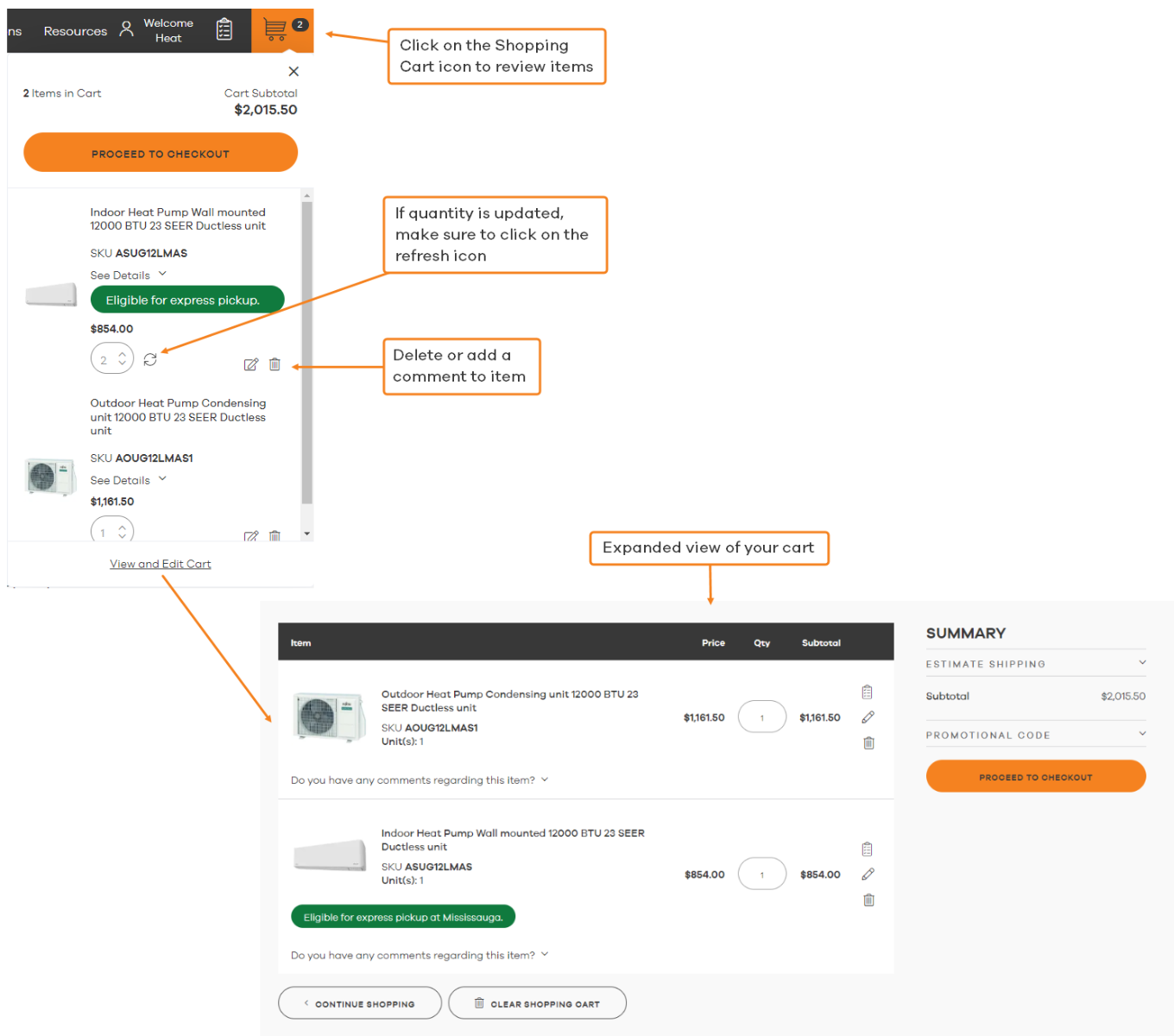
My Cart
Subtotal:

Checkout using your account
Checkout as a new customer
Creating an account has many benefits:
If you need more details or information please contact jobs@alliedheatingac.com
1. Start at Sign In and select Register Your Company
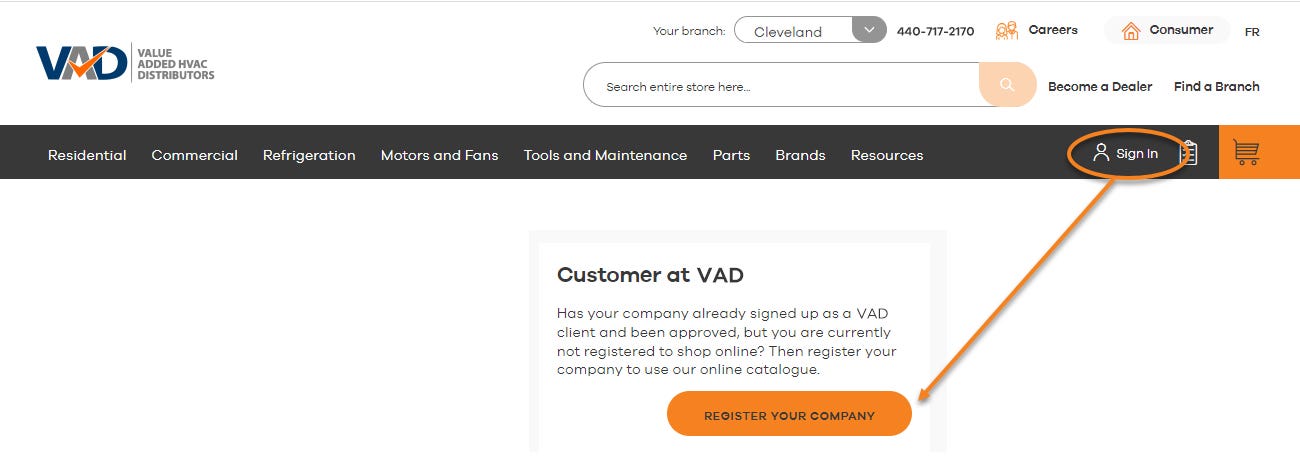
2. Complete the form.

3. You will receive a confirmation email that your request has been received.
4. Once your request has been reviewed and approved in 1-2 business days, you will receive an approval email.
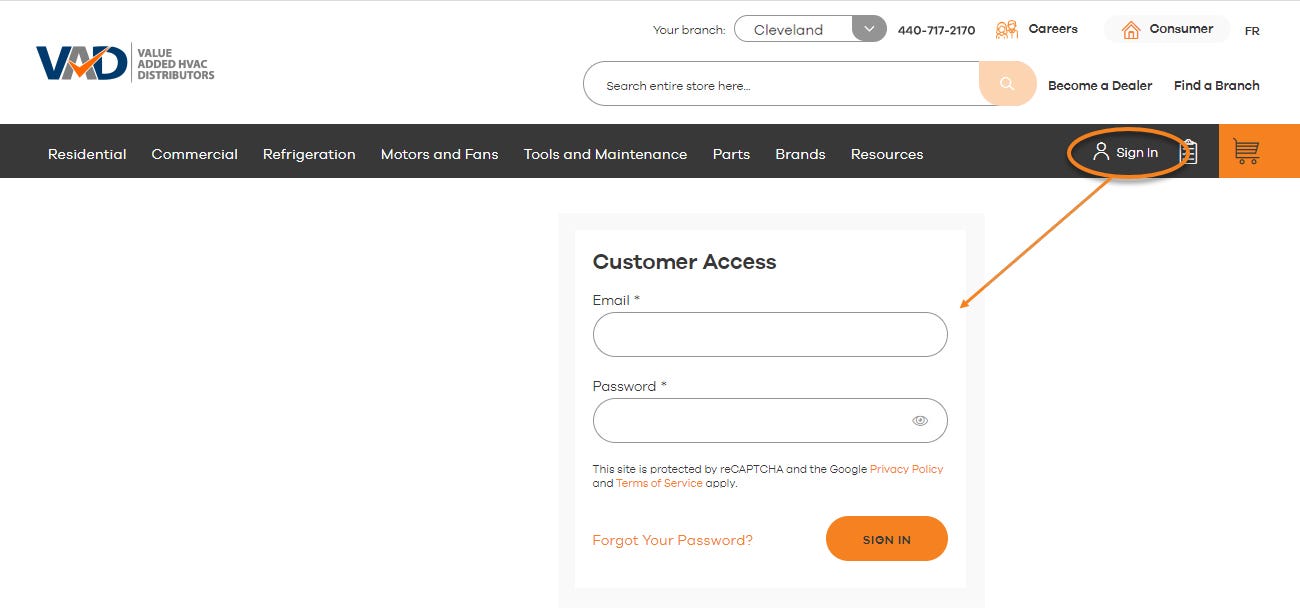
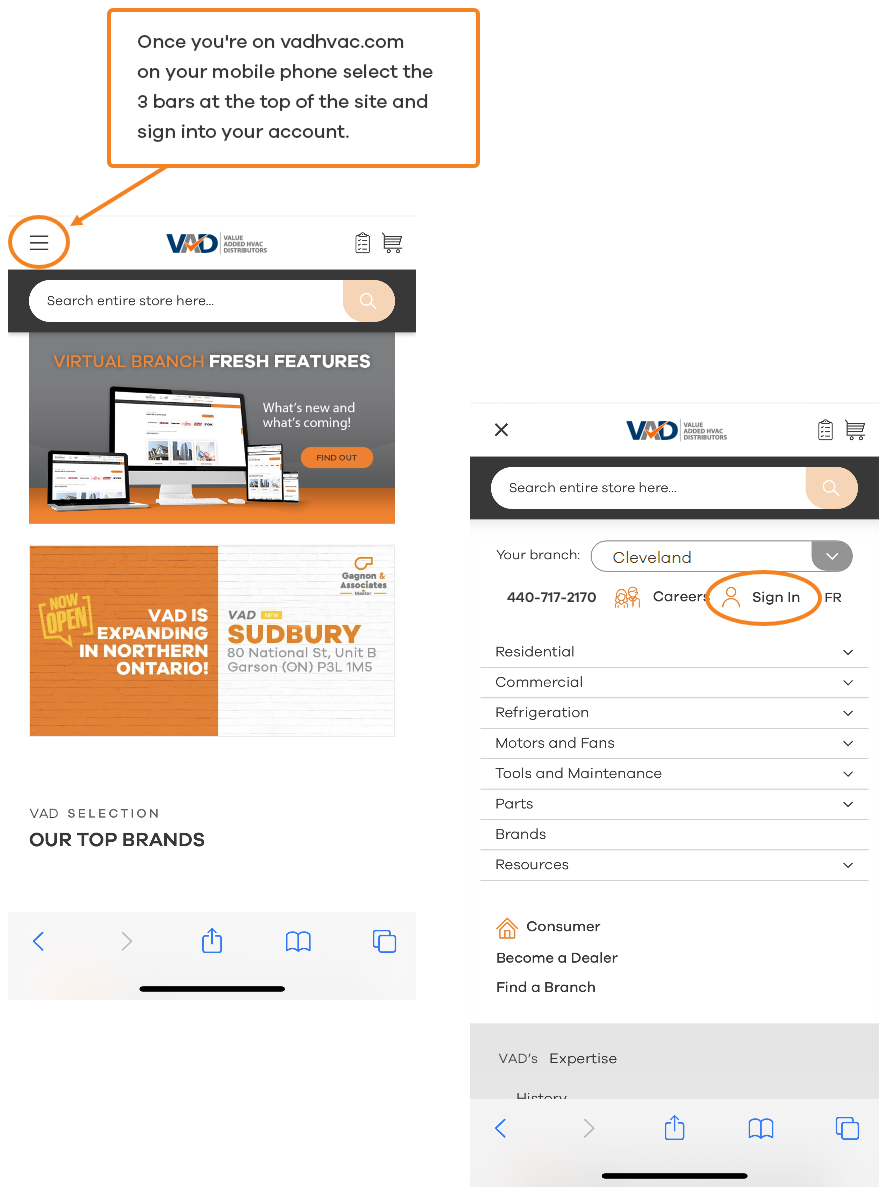
1. Sign in to your Virtual Branch and enter your email and password
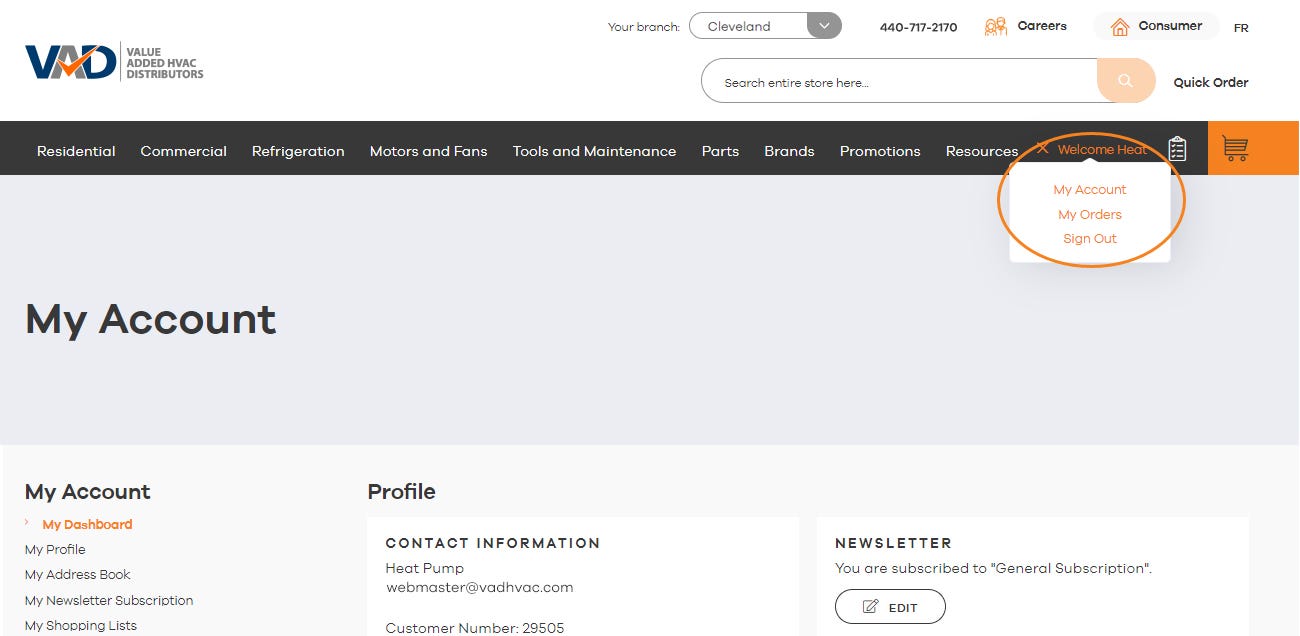
2. You can easily access your account details & orders from the Welcome drop-down
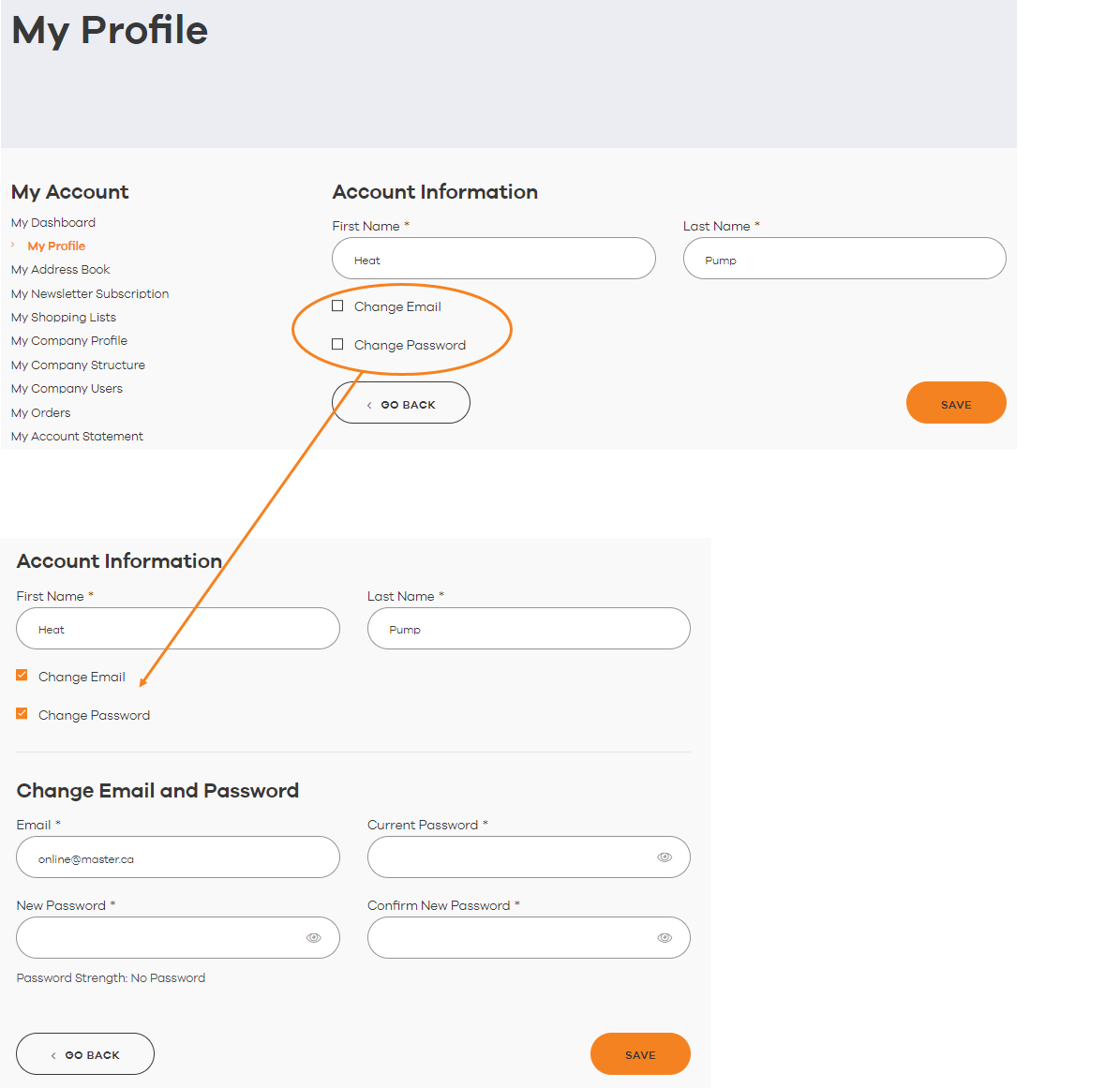
Access My Profile from the left side navigation
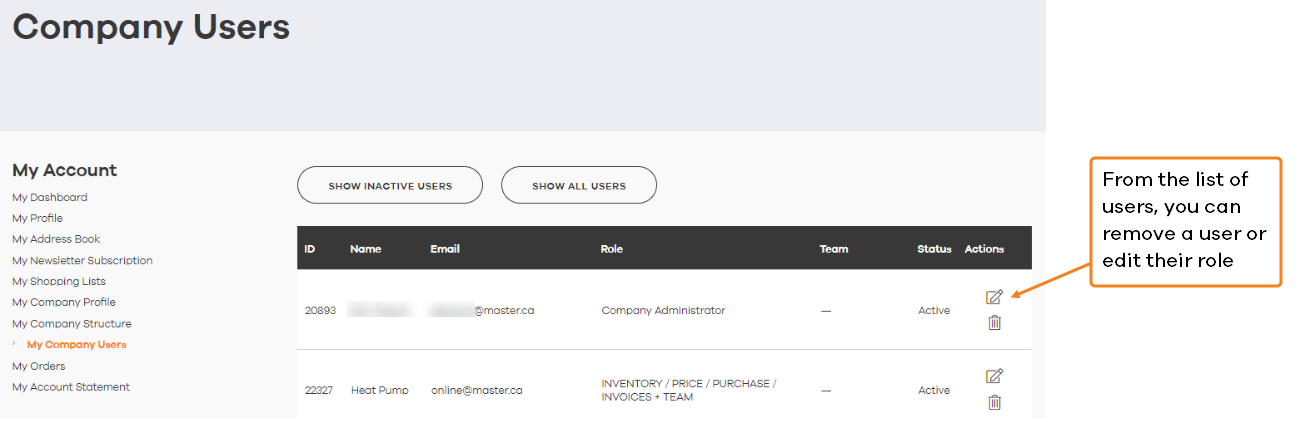
1. Under My Company Users on the left side navigation
1. Click on the ADD NEW USER button at the bottom of the list of Company Users
2. Select the appropriate role for the new user
NOTE
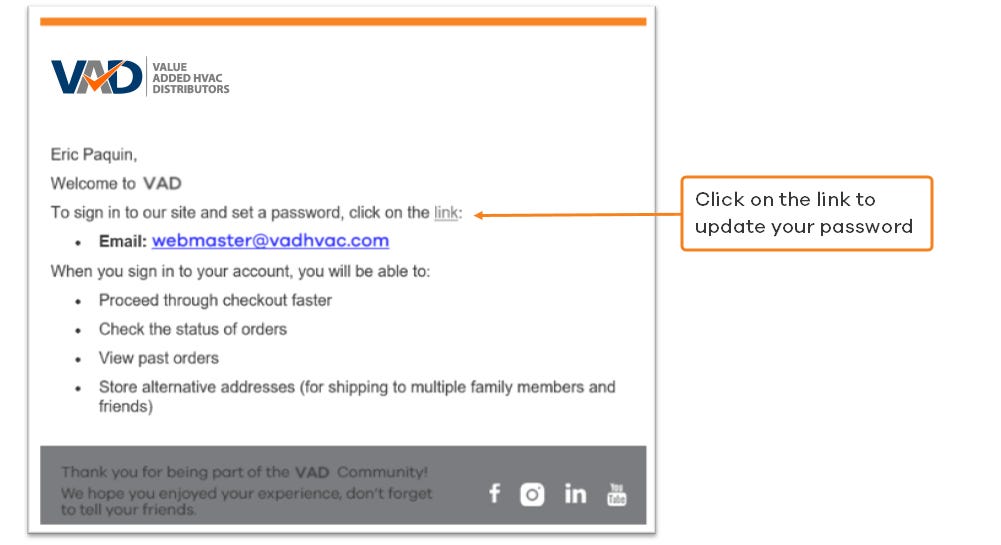
Once the user is created, all they need to do is click on Forgot your password.
In the sign in page to get a link to update their password and log in.
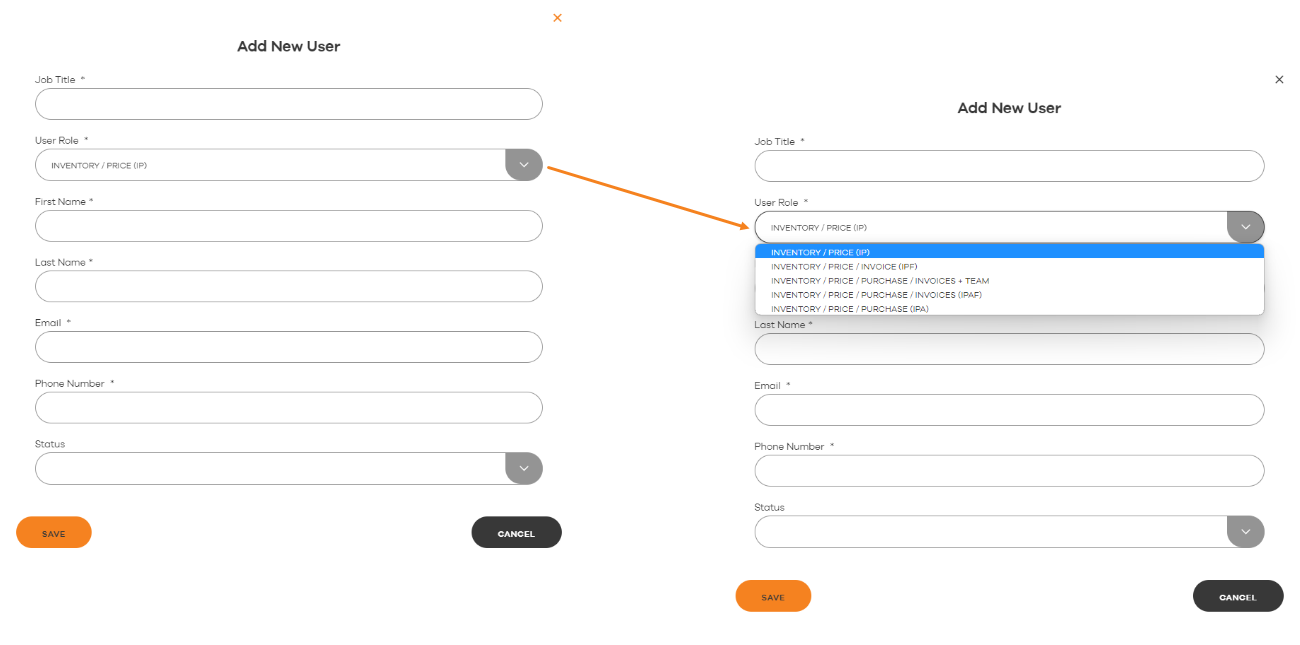
INVENTORY / PRICE (IP)
Allows you to see the available inventory and the price of the items.
INVENTORY / PRICE / INVOICES (IPF)
Allows to see the available inventory, the price of the items, and to see the orders and account statement of the company (without purchasing)
INVENTORY / PRICE / PURCHASE / INVOICES + TEAM
Allows to see the available inventory, the price of the items, to make purchases on the site, to see the orders and account statement of the company and to create user accounts as well as assign or change the roles of the users
INVENTORY / PRICE / PURCHASE / INVOICES (IPAF)
Allows you to see the available inventory, the price of the items, to make purchases on the site and to see the orders and account statement of the company
INVENTORY / PRICE / PURCHASE (IPA)
Allows you to see the available inventory, the price of the items and to make purchases on the site.
Currently this functionality is not available however are working on setting up new permissions to give access to view inventory and purchase only
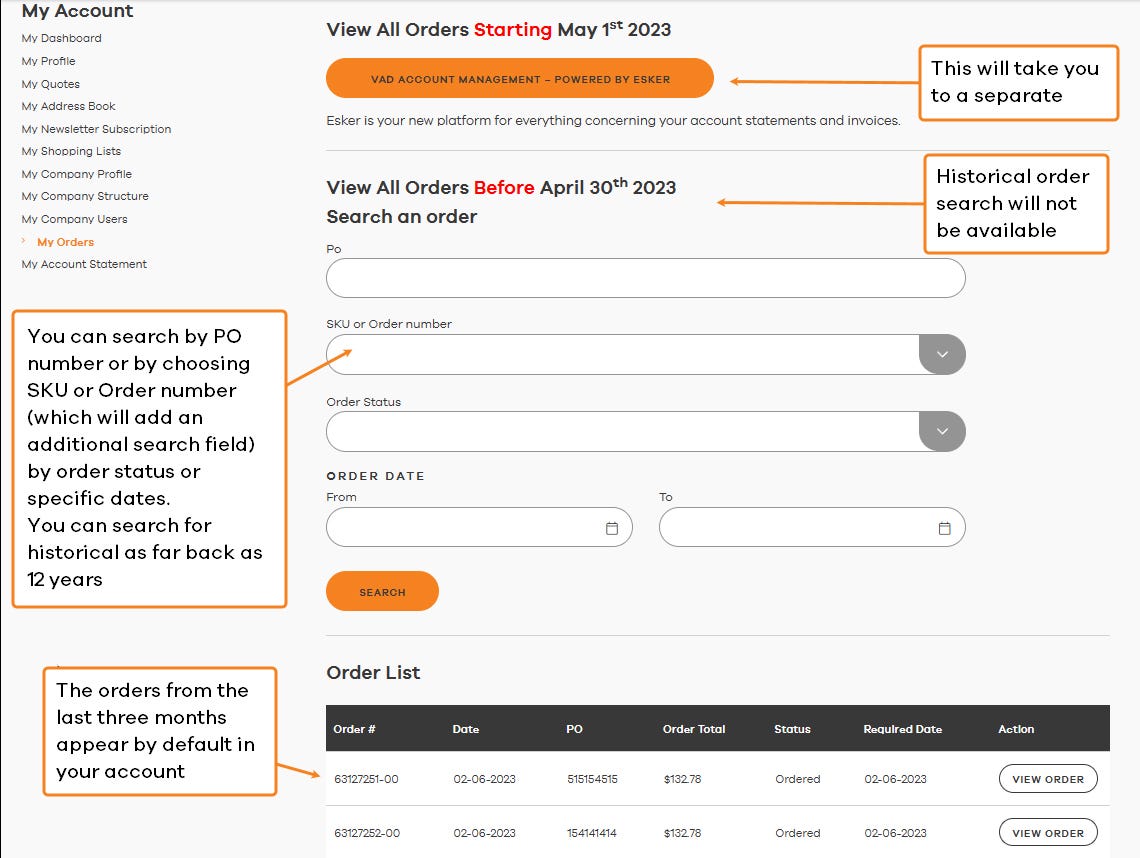
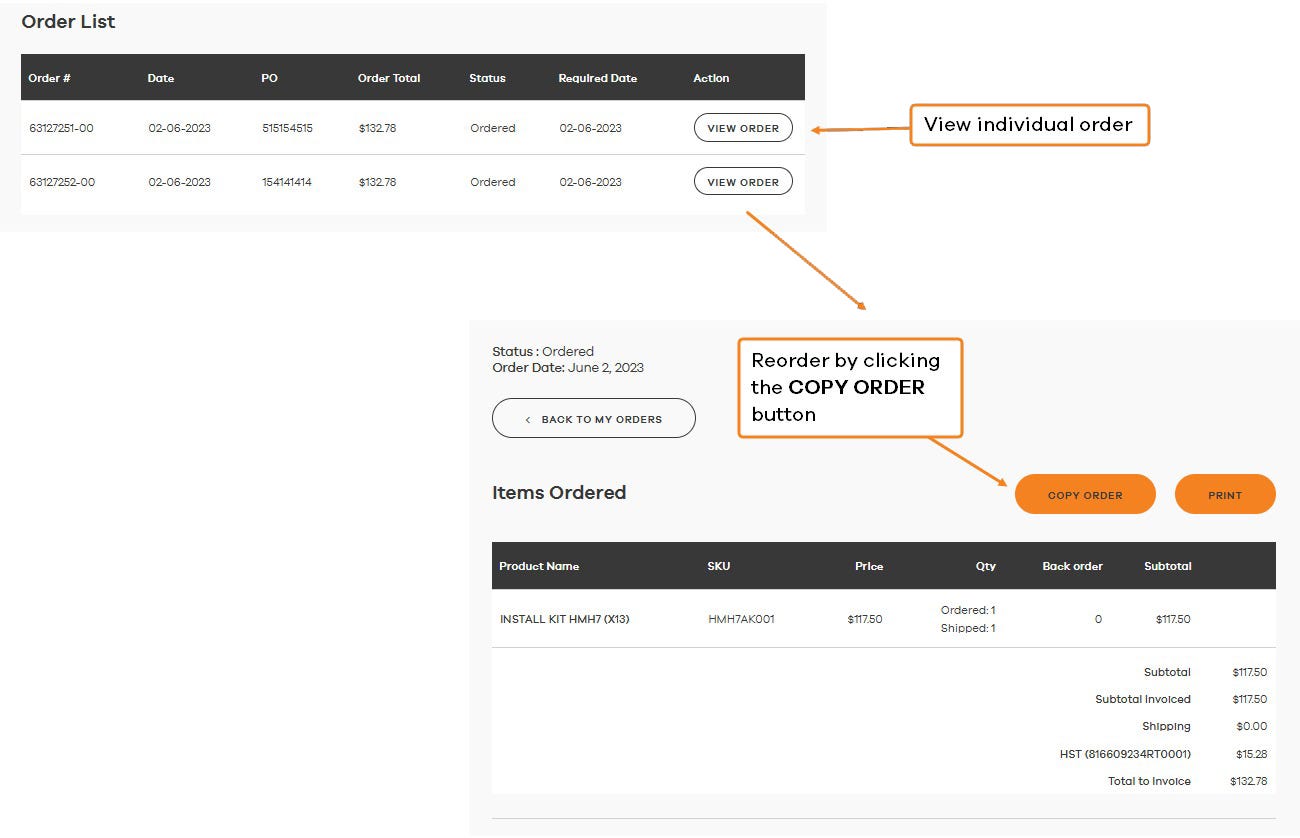
Access My Orders on the left side navigation
We did our best to bring over your old eStore shopping lists but may have encountered an issue when importing your lists. If you do not see any of your lists on your account, please send an email to jobs@alliedheatingac.com with your account number and old store email address and we'll be happy to find your lists and make sure they're added to your account here.
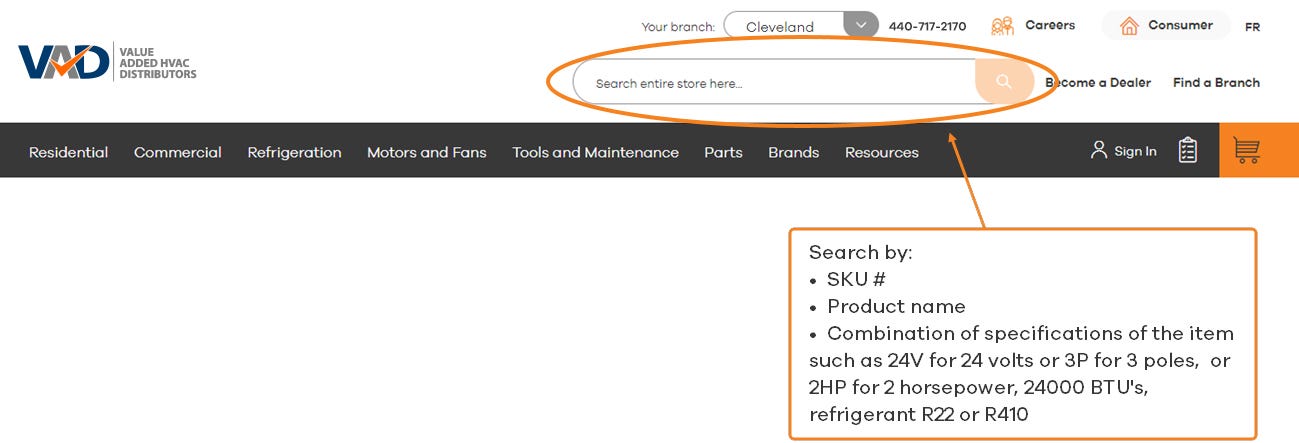
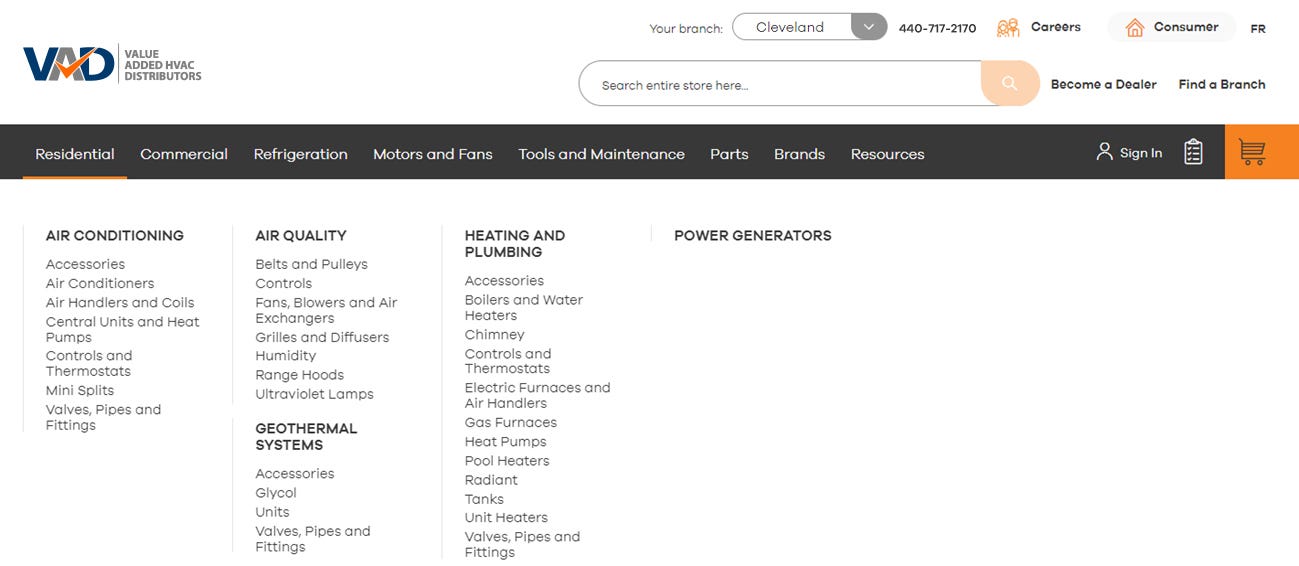
There are 3 ways to search for a specific product:
1. Search Bar
2. Product Category
2. Brand
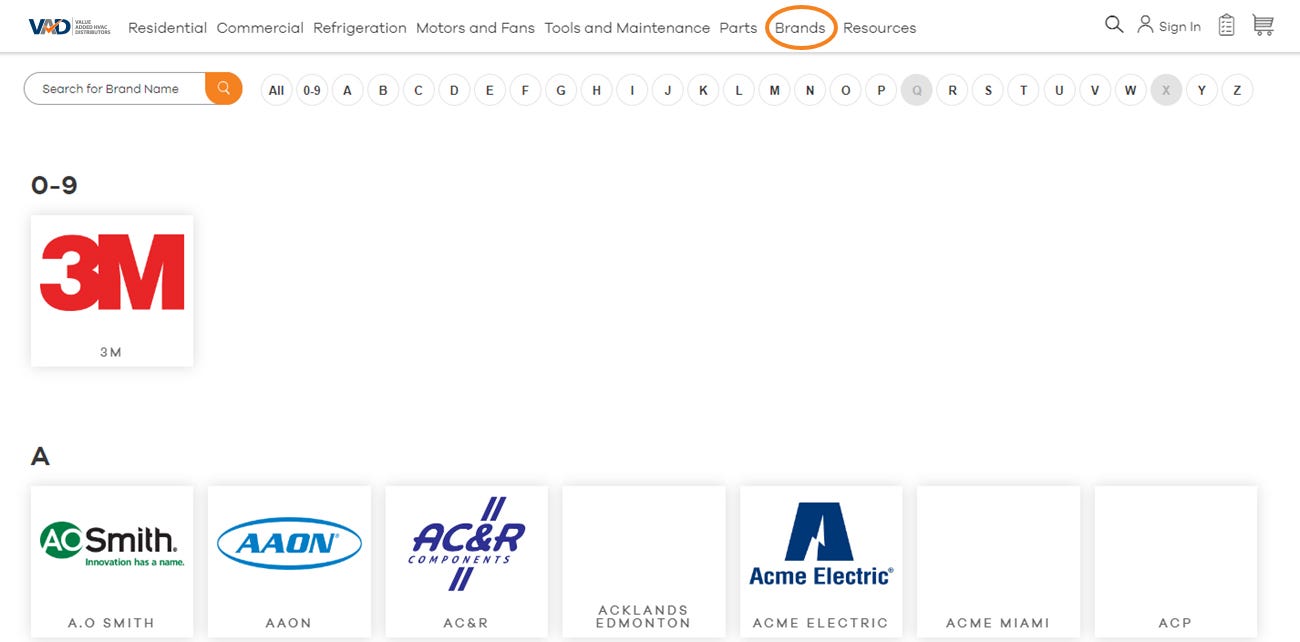
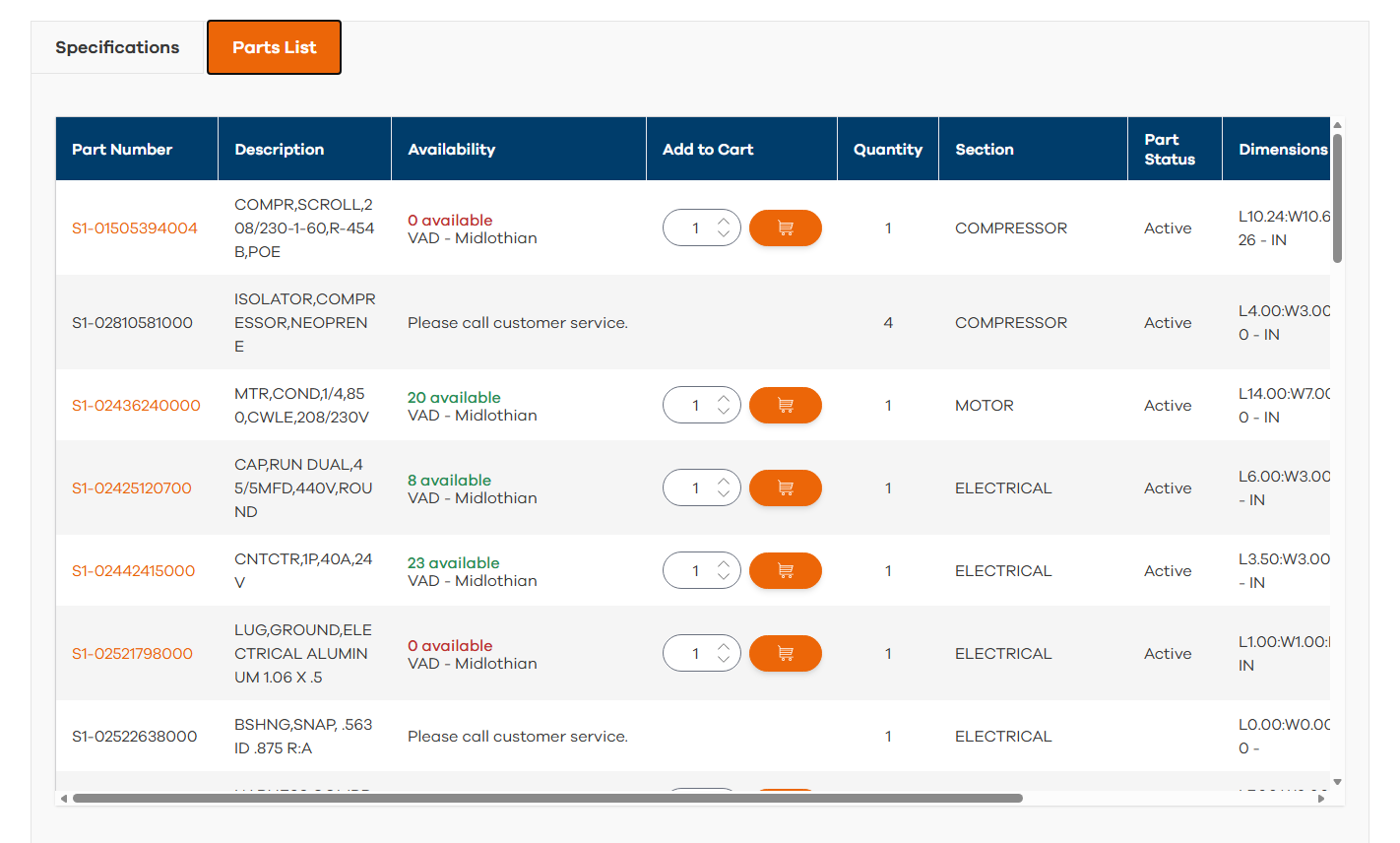
1. The Equipment Page
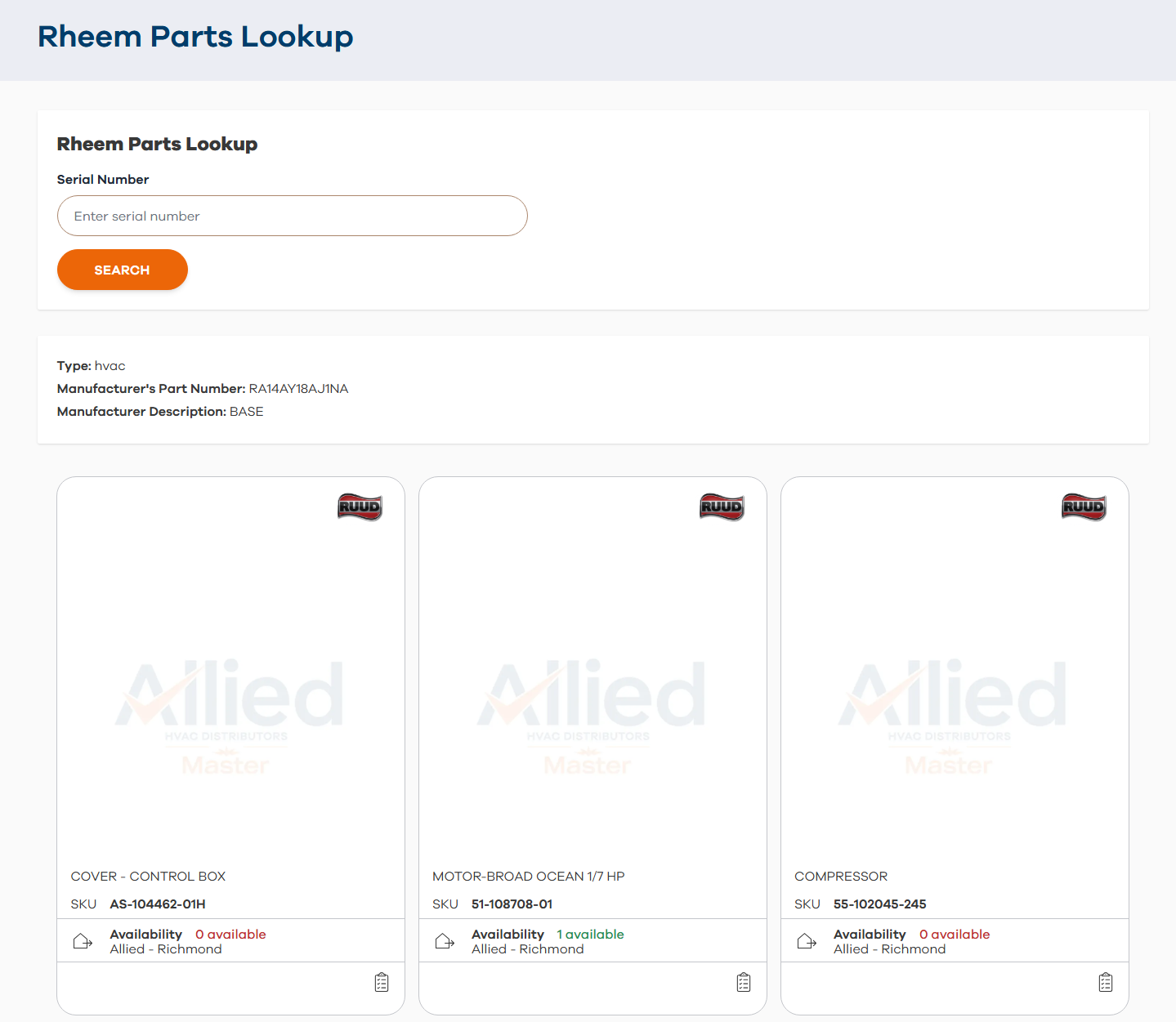
2. Serial Number Search
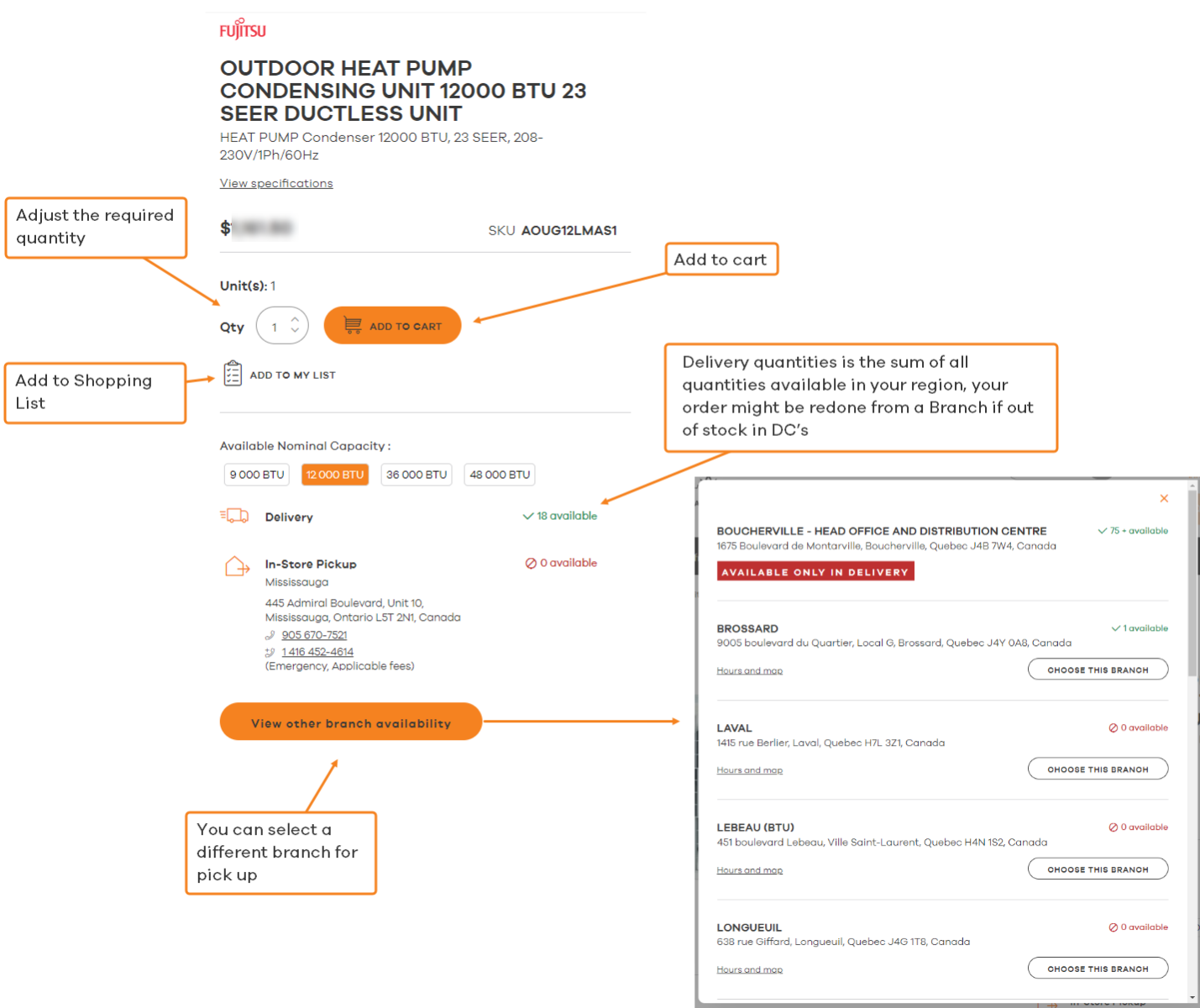
2. Product Category
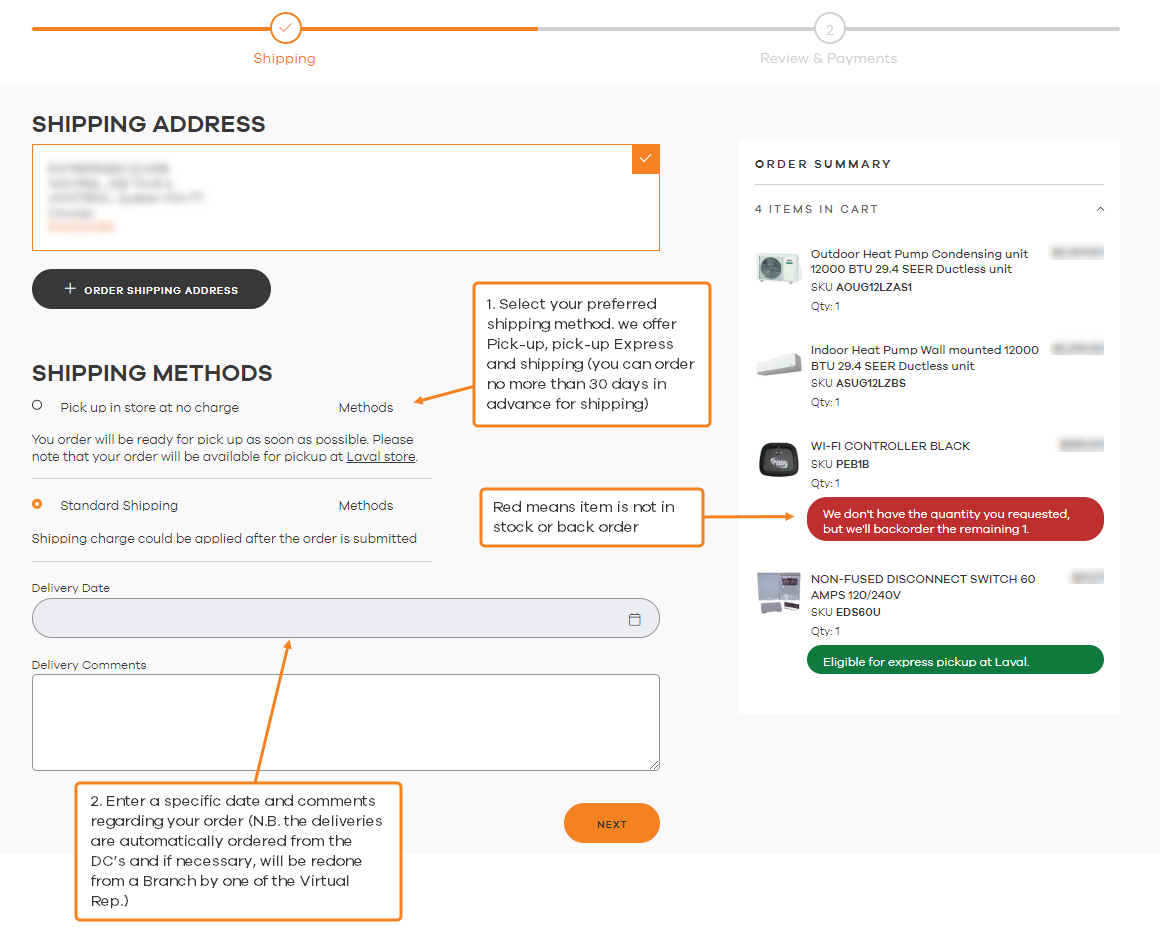
You will have to choose a Pickup or Delivery, enter a specific date and comments regarding your order (N.B. the deliveries are automatically ordered from the DC's and if necessary, will be redone from a Branch by one of the Virtual Rep.)
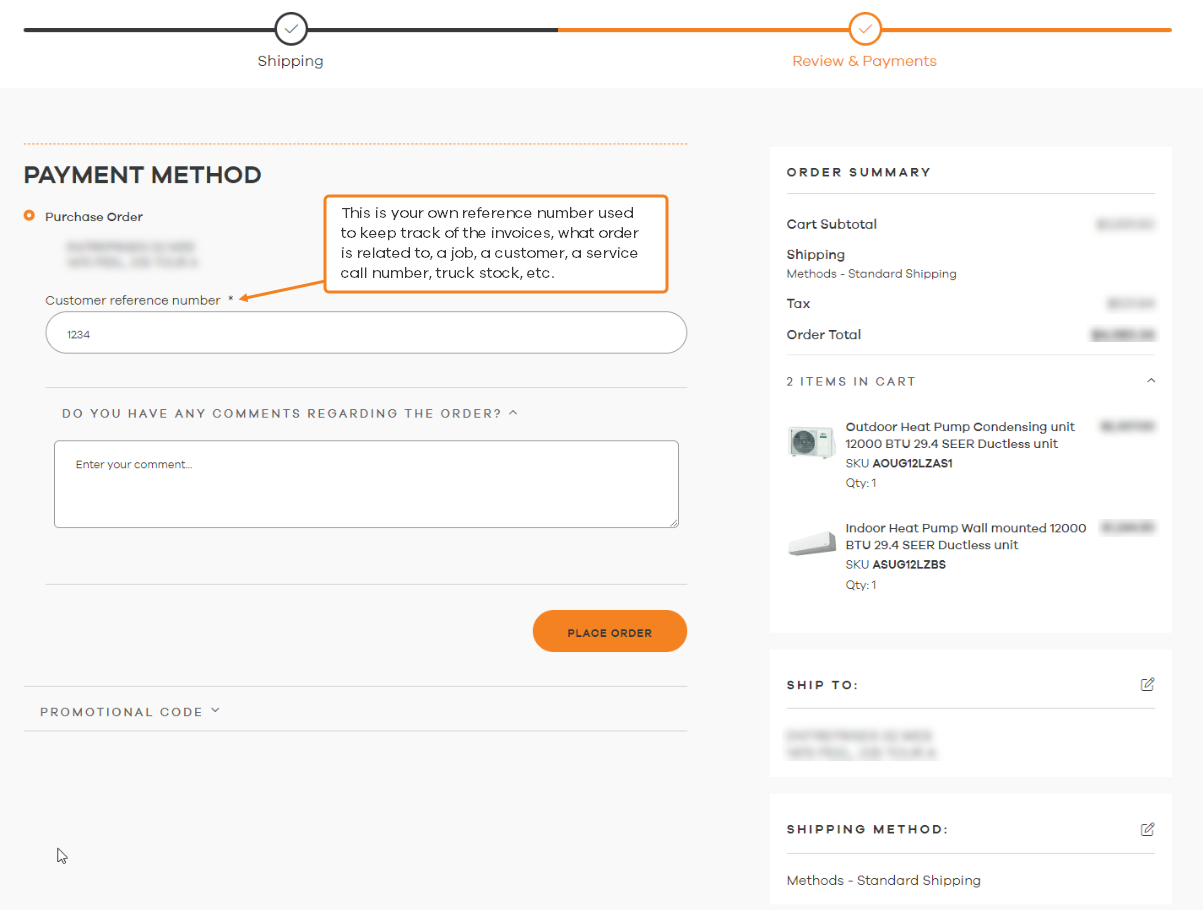
Clicking next will bring you to the Payment method where you will have to enter a PO of your choice and then click the PLACE ORDER button to finalize, you will be shown an order number and will receive a confirmation email.
Yes, it is the same.
Your sales rep, the prices on the Virtual Branch are set in our system.
No, nothing changes for your sales rep.
If you need any support regarding your orders. (PO, order tracking, damaged items, incomplete orders).
Please contact jobs@alliedheatingac.com or your sale representative.
If you need support regarding your account (registration, management of your employees, website support or suggestions).
Please contact jobs@alliedheatingac.com
You have a direct access to our Virtual Branch Reps through the chat function which is available on all our pages (bottom right corner of every page) once you have logged in.
We would love to hear from you! Let us know your suggestions and what you would like to improve on our site by providing feedback available on our site. Each request is carefully studied and brought to the development team, please contact jobs@alliedheatingac.com